Google Cloud Data Fusion is a fully managed, CDAP-based data integration service that lets teams build ETL/ELT pipelines visually or programmatically. For organizations migrating off Alteryx, Talend, IBM DataStage, Informatica, SSIS, or Oracle ODI, Data Fusion offers a natural landing zone — it’s a visual pipeline builder backed by a Dataproc Spark execution engine, with native BigQuery, GCS, Pub/Sub, and Cloud SQL connectors out of the box.
But the critical architectural question during migration is: should you push SQL to BigQuery through Data Fusion, or should you use Data Fusion's native CDAP plugins to express transformation logic? The answer depends on what the legacy ETL actually does, and MigryX's parsers make this decision automatically by classifying every transformation in the source system.
Two Approaches, One Pipeline
Cloud Data Fusion supports two fundamentally different patterns for data transformation, and understanding when to use each is key to producing pipelines that are both performant and maintainable.
Approach 1: SQL Pushdown to BigQuery
When legacy ETL logic is fundamentally SQL — SELECT statements with JOINs, GROUP BY, CASE expressions, window functions, MERGE for upserts — the most efficient Data Fusion pipeline pushes that SQL directly to BigQuery. Data Fusion becomes a thin orchestration and scheduling layer, while BigQuery's serverless engine does the actual computation.
This approach is ideal when migrating from SQL-heavy legacy platforms:
- SAS PROC SQL — translates directly to BigQuery Standard SQL
- Teradata BTEQ scripts — SQL transpiled from Teradata dialect to BigQuery syntax
- Oracle PL/SQL procedures — procedural blocks decomposed into BigQuery scripting (DECLARE, IF/ELSE, LOOP, EXCEPTION handling)
- Informatica SQL overrides — Source Qualifier and SQL Transformation logic moved to BigQuery
- SSIS Execute SQL tasks — SQL statements extracted from .dtsx packages
# Data Fusion pipeline JSON — BigQuery SQL Pushdown node
{
  "name": "BigQueryPushdown",
  "plugin": {
    "name": "BigQueryPushDown",
    "type": "batchsource",
    "artifact": {"name": "google-cloud", "scope": "SYSTEM"},
    "properties": {
      "project": "my-project",
      "dataset": "staging",
      "sql": "SELECT o.order_id, o.amount, c.name, c.region,
              CASE WHEN o.amount >= 10000 THEN 'enterprise'
                   WHEN o.amount >= 1000  THEN 'mid_market'
                   ELSE 'smb' END AS deal_tier,
              SUM(o.amount) OVER (PARTITION BY c.region) AS region_total
       FROM `staging.orders` o
       JOIN `ref.customers` c ON o.customer_id = c.customer_id
       WHERE o.order_date >= '2025-01-01'",
      "enableQueryPushdown": "true"
    }
  }
}
The SQL pushdown approach has zero data movement for transformations. BigQuery executes the SQL in its serverless engine, and Data Fusion only orchestrates the execution. This means no Dataproc cluster is needed for SQL-only stages, dramatically reducing cost and latency.
Approach 2: Idiomatic CDAP Plugins
When legacy ETL involves visual dataflow logic that isn’t naturally expressed in SQL — multi-branch routing, row-level parsing, conditional splits, custom functions, complex type coercion, nested data flattening — MigryX generates native CDAP plugins that map 1:1 to the legacy transformation semantics.
This approach is ideal for visual ETL platforms:
- Alteryx Designer workflows — multi-output tools, formula expressions, spatial operations, RegEx parsing
- Talend Studio jobs — tMap lookup joins, tJavaRow custom code, tNormalize/tDenormalize, tLogRow
- IBM DataStage parallel jobs — Transformer stages, Lookup stages, Aggregator stages, Merge stages
- Informatica PowerCenter mappings — Expression transformations, Router, Sequence Generator, Update Strategy
- ODI interfaces — Knowledge Modules with inline SQL and procedural code
CDAP Plugin Mapping from Legacy ETL
Each legacy transformation type maps to a specific Data Fusion plugin:
| Legacy Transformation | Data Fusion Plugin | Notes |
|---|---|---|
| Alteryx Select / Filter | Wrangler (filter-rows directive) | Row filtering with expression support |
| Alteryx Formula | JavaScript Transform | Row-level calculations and derived columns |
| Alteryx Join / Append | Joiner plugin | Inner, outer, left, right join modes |
| Alteryx Summarize | GroupBy Aggregate | SUM, AVG, COUNT, MIN, MAX with group keys |
| Talend tMap | Joiner + JavaScript Transform | Lookup join + expression columns |
| Talend tNormalize | Wrangler (split-to-rows) | Delimiter-based row explosion |
| DataStage Transformer | JavaScript / Python Transform | Derivation expressions converted to JS/Python |
| DataStage Lookup | Joiner (broadcast mode) | Small reference table broadcast join |
| Informatica Router | Splitter plugin | Conditional routing to multiple output ports |
| Informatica Expression | Wrangler / JavaScript Transform | Row-level derived fields |
| Informatica Sequence Generator | JavaScript Transform | Counter logic in custom transform |
| SSIS Derived Column | Wrangler (set-column directive) | Expression-based column creation |
| SSIS Conditional Split | Splitter plugin | Condition-based row routing |
| ODI Interface (IKM SQL) | BigQuery Pushdown | SQL-based KMs go to pushdown mode |
| ODI Interface (IKM Procedure) | JavaScript / Python Transform | Procedural KMs become custom plugins |
Example: Alteryx Workflow to Data Fusion Pipeline
Consider an Alteryx workflow with an Input Data tool reading from CSV, a Formula tool adding derived columns, a Filter tool removing invalid rows, a Join tool enriching with a reference table, and a Summarize tool aggregating results before writing to a database output.
# Data Fusion pipeline JSON — Idiomatic CDAP conversion of Alteryx workflow
{
  "name": "alteryx_orders_pipeline",
  "description": "Converted from Alteryx workflow: daily_order_summary.yxmd",
  "stages": [
    {
      "name": "RawOrders",
      "plugin": {"name": "GCSFile", "type": "batchsource"},
      "properties": {
        "path": "gs://raw-data/orders/",
        "format": "csv",
        "schema": "{\"type\":\"record\",\"fields\":[...]}"
      }
    },
    {
      "name": "CleanAndDerive",
      "plugin": {"name": "Wrangler", "type": "transform"},
      "properties": {
        "directives": [
          "filter-rows-on condition-false amount > 0",
          "set-column deal_tier ifelse(amount >= 10000, 'enterprise', ifelse(amount >= 1000, 'mid_market', 'smb'))",
          "set-column order_month format-date(order_date, 'yyyy-MM')"
        ]
      }
    },
    {
      "name": "ProductLookup",
      "plugin": {"name": "Joiner", "type": "batchjoiner"},
      "properties": {
        "joinKeys": "CleanAndDerive.product_id = Products.product_id",
        "selectedFields": "CleanAndDerive.*, Products.product_name, Products.category",
        "requiredInputs": "CleanAndDerive"
      }
    },
    {
      "name": "RegionSummary",
      "plugin": {"name": "GroupByAggregate", "type": "batchaggregator"},
      "properties": {
        "groupByFields": "region, deal_tier, order_month",
        "aggregates": "total_amount:amount:Sum, order_count:order_id:Count, avg_amount:amount:Avg"
      }
    },
    {
      "name": "BigQuerySink",
      "plugin": {"name": "BigQueryTable", "type": "batchsink"},
      "properties": {
        "project": "my-project",
        "dataset": "gold",
        "table": "regional_order_summary",
        "operation": "INSERT",
        "truncateTable": "true"
      }
    }
  ],
  "connections": [
    {"from": "RawOrders", "to": "CleanAndDerive"},
    {"from": "CleanAndDerive", "to": "ProductLookup"},
    {"from": "ProductLookup", "to": "RegionSummary"},
    {"from": "RegionSummary", "to": "BigQuerySink"}
  ]
}

Informatica to Cloud Data Fusion migration — automated end-to-end by MigryX
Hybrid Pipelines: SQL + CDAP Together
Real-world legacy ETL rarely falls cleanly into one category. A single Informatica workflow might have a Source Qualifier with SQL overrides (SQL-expressible), followed by an Expression transformation (could be either), followed by a Router with complex conditions (CDAP plugin), writing to multiple targets with Update Strategy logic (SQL MERGE). MigryX handles this by generating hybrid pipelines.
# Hybrid pipeline — SQL pushdown for extraction, CDAP for routing, SQL for loading
{
  "stages": [
    {
      "name": "ExtractWithSQL",
      "plugin": {"name": "BigQueryPushDown", "type": "batchsource"},
      "properties": {
        "sql": "SELECT * FROM `staging.transactions` WHERE txn_date >= CURRENT_DATE() - 7"
      }
    },
    {
      "name": "ClassifyAndRoute",
      "plugin": {"name": "JavaScriptTransform", "type": "transform"},
      "properties": {
        "script": "function transform(input, emitter, context) {
          if (input.amount >= 50000) { emitter.emit(input, 'high_value'); }
          else if (input.amount >= 5000) { emitter.emit(input, 'standard'); }
          else { emitter.emit(input, 'micro'); }
        }",
        "outputPorts": "high_value,standard,micro"
      }
    },
    {
      "name": "HighValueSink",
      "plugin": {"name": "BigQueryTable", "type": "batchsink"},
      "properties": {
        "dataset": "gold", "table": "high_value_transactions",
        "operation": "UPSERT", "tableKey": "txn_id"
      }
    },
    {
      "name": "StandardSink",
      "plugin": {"name": "BigQueryTable", "type": "batchsink"},
      "properties": {
        "dataset": "gold", "table": "standard_transactions",
        "operation": "INSERT"
      }
    }
  ]
}
Hybrid pipelines are the most common output in real-world migrations. Pure SQL pipelines and pure CDAP pipelines are edge cases. MigryX's parser classifies each transformation independently, so a single legacy workflow can produce a pipeline with both SQL pushdown stages and CDAP plugin stages — optimizing for performance and fidelity at every step.
MigryX: Idiomatic Code, Not Line-by-Line Translation
The difference between MigryX and manual migration is not just speed — it is code quality. MigryX generates idiomatic, platform-optimized code that leverages native features of your target platform. A SAS DATA step does not become a clunky row-by-row loop — it becomes a clean, vectorized DataFrame operation. A PROC SQL query does not become a literal translation — it becomes an optimized query that takes advantage of your platform’s pushdown capabilities.
Orchestration: Scheduling and Dependencies
Legacy ETL platforms bundle orchestration with transformation. Informatica workflows, Talend job groups, DataStage sequences, and SSIS packages all include scheduling and dependency management. In Data Fusion, pipelines are scheduled natively or orchestrated through Cloud Composer (Airflow) for complex multi-pipeline DAGs.
# Cloud Composer DAG orchestrating multiple Data Fusion pipelines
from airflow import DAG
from airflow.providers.google.cloud.operators.datafusion import (
    CloudDataFusionStartPipelineOperator,
)
from datetime import datetime

dag = DAG(
    "daily_etl_orchestration",
    schedule_interval="0 6 * * *",
    start_date=datetime(2026, 1, 1),
    catchup=False,
)

extract_pipeline = CloudDataFusionStartPipelineOperator(
    task_id="extract_sources",
    pipeline_name="extract_all_sources",
    instance_name="prod-datafusion",
    location="us-central1",
    dag=dag,
)

transform_pipeline = CloudDataFusionStartPipelineOperator(
    task_id="transform_and_enrich",
    pipeline_name="transform_enrich_orders",
    instance_name="prod-datafusion",
    location="us-central1",
    dag=dag,
)

load_gold = CloudDataFusionStartPipelineOperator(
    task_id="load_gold_layer",
    pipeline_name="load_gold_tables",
    instance_name="prod-datafusion",
    location="us-central1",
    dag=dag,
)

extract_pipeline >> transform_pipeline >> load_gold
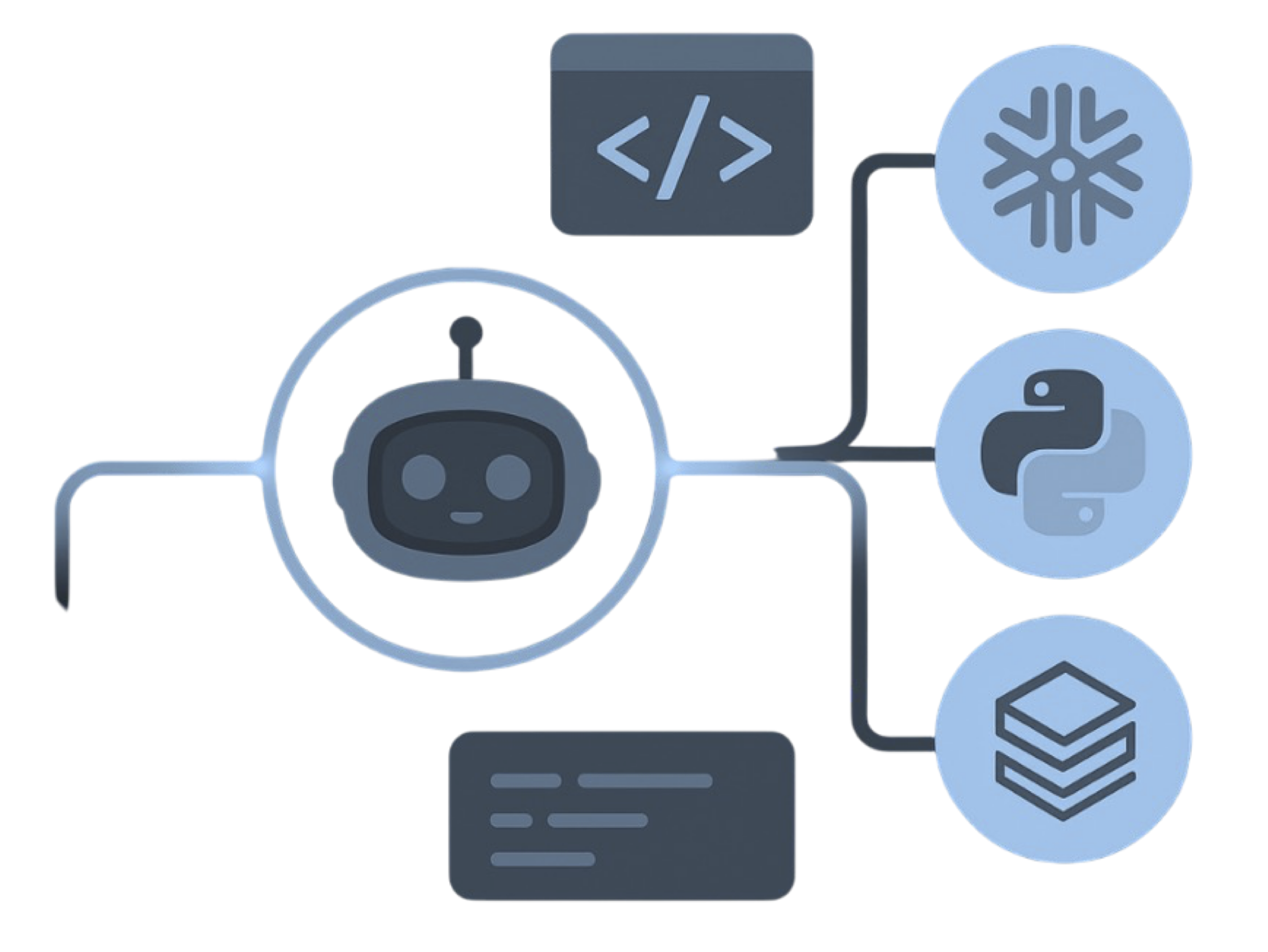
MigryX precision parser — Deep AST-level analysis ensures every construct is understood before conversion begins
Platform-Specific Optimization by MigryX
MigryX maintains deep knowledge of every target platform’s strengths and best practices. When converting to Snowflake, it leverages Snowpark and native SQL functions. When targeting Databricks, it uses PySpark DataFrame operations optimized for distributed execution. When generating dbt models, it follows dbt best practices for modularity and testability. This platform awareness is what makes MigryX output production-ready from day one.
How MigryX Decides: SQL or CDAP?
MigryX's parser analyzes each legacy transformation and classifies it into one of three categories:
- SQL-expressible — The transformation is a standard SQL operation (SELECT, JOIN, GROUP BY, CASE, window function, MERGE). Output: BigQuery pushdown SQL inside a Data Fusion pipeline stage.
- Plugin-required — The transformation involves row-level procedural logic, multi-branch routing, custom functions, or data type manipulation that SQL cannot express cleanly. Output: Native CDAP plugin (Wrangler, JavaScript Transform, Splitter, etc.).
- Hybrid — The transformation mixes SQL and procedural logic within a single construct (e.g., Informatica mapping with both SQL Override and Expression transformations). Output: Hybrid pipeline with both SQL pushdown and CDAP stages.
This classification is deterministic, auditable, and overridable. MigryX generates a conversion report that shows exactly why each transformation was routed to SQL or CDAP, with the original legacy code and the generated Data Fusion configuration side by side.
Key Takeaways
- Cloud Data Fusion supports two approaches: SQL pushdown to BigQuery (zero data movement, serverless compute) and idiomatic CDAP plugins (visual DAG with Wrangler, Joiner, GroupBy, JavaScript transforms).
- SQL-heavy legacy platforms (SAS PROC SQL, Teradata BTEQ, Oracle PL/SQL) map naturally to SQL pushdown pipelines. Visual ETL platforms (Alteryx, Talend, DataStage, SSIS) map to CDAP plugin pipelines.
- Real-world migrations produce hybrid pipelines that combine SQL pushdown and CDAP plugins in the same Data Fusion pipeline — optimizing for both performance and transformation fidelity.
- Every legacy transformation type has a specific Data Fusion plugin equivalent: Alteryx Formula → Wrangler/JavaScript, Talend tMap → Joiner + Transform, DataStage Transformer → JavaScript Transform, Informatica Router → Splitter.
- MigryX generates pipeline JSON (CDAP artifact spec) ready for direct import into Data Fusion via REST API or Studio UI — no manual assembly required.
- Orchestration moves from legacy schedulers to Data Fusion native schedules or Cloud Composer DAGs, preserving dependency chains and retry semantics.
- Lineage metadata from every generated pipeline is published to Dataplex Data Catalog, maintaining governance continuity from legacy ETL to Google Cloud.
Migrating legacy ETL to Cloud Data Fusion is not a one-size-fits-all exercise. SQL-heavy workloads should push SQL to BigQuery for maximum performance. Visual dataflow logic should use CDAP's native plugin ecosystem. And most real-world migrations will produce hybrid pipelines that combine both approaches. MigryX automates this classification and generates production-ready Data Fusion pipeline JSON from every legacy source — Alteryx, Talend, DataStage, Informatica, SSIS, and ODI — with full lineage published to Dataplex.
Why MigryX Delivers Superior Migration Results
The challenges described throughout this article are exactly what MigryX was built to solve. Here is how MigryX transforms this process:
- Production-ready output: MigryX generates code that passes code review and runs in production — not prototype-quality output that needs weeks of cleanup.
- Platform optimization: Converted code leverages target platform-specific features for maximum performance and cost efficiency.
- 25+ source technologies: Whether migrating from SAS, Informatica, DataStage, SSIS, or any of 25+ legacy technologies, MigryX handles it.
- Automated documentation: Every conversion decision is documented with before/after code mappings and transformation rationale.
MigryX combines precision AST parsing with Merlin AI to deliver 99% accurate, production-ready migration — turning what used to be a multi-year manual effort into a streamlined, validated process. See it in action.
Ready to migrate legacy ETL to Cloud Data Fusion?
See how MigryX converts your Alteryx, Talend, DataStage, or Informatica workflows to production-ready Data Fusion pipelines with SQL pushdown and CDAP plugins.
Explore BigQuery Migration Schedule a Demo