
Alteryx Designer has established itself as the go-to self-service analytics platform, enabling business analysts to build sophisticated data preparation and blending workflows through its drag-and-drop visual interface. However, as enterprise data volumes grow from gigabytes to terabytes and organizations consolidate their analytics infrastructure around cloud data platforms, Alteryx's desktop-centric architecture and per-seat licensing model create scaling challenges. The Alteryx engine processes data locally on the Designer machine or on Alteryx Server nodes, meaning data must be extracted from Snowflake, processed on Alteryx compute, and written back — a fundamentally inefficient pattern when Snowflake already provides the compute needed for transformation.
Snowflake's Snowpark Python framework, native SQL engine, Dynamic Tables, and Task-based orchestration can absorb the vast majority of Alteryx workflow logic while keeping all computation inside Snowflake. This eliminates data movement, reduces licensing costs, and provides elastic scalability that Alteryx Server cannot match. This article provides a detailed technical mapping of every major Alteryx Designer tool category to its Snowflake equivalent, with working code examples for the most common migration patterns.
Alteryx Architecture vs. Snowflake Architecture
Alteryx Designer workflows are XML-based files (.yxmd) that define a directed acyclic graph of tools connected by data streams. Each tool performs a specific operation — read data, filter rows, join datasets, calculate fields, aggregate, sort, or write output. The Alteryx engine executes this graph on local compute (Designer desktop) or on Alteryx Server/Gallery nodes. Data flows through the engine's memory, with temporary files used for datasets that exceed available RAM.
Snowflake operates on a fundamentally different model. All data resides in Snowflake's managed cloud storage. Virtual warehouses provide elastic compute that auto-scales based on workload. Snowpark Python enables DataFrame-based transformations that execute on Snowflake's distributed engine. Dynamic Tables provide declarative, automatically-refreshing derived datasets. Tasks and Streams handle scheduling and change data capture. The key insight for migration is that Snowflake can perform every transformation that Alteryx performs, but does so where the data already lives — eliminating the extract-transform-load-back pattern.
| Alteryx Concept | Snowflake Equivalent | Notes |
|---|---|---|
| .yxmd Workflow | Snowpark Python script / SQL procedure | Multi-step pipeline as code |
| Input Data tool | Stage / COPY INTO / External Table | Read from files, databases, or APIs |
| Output Data tool | CREATE TABLE AS / INSERT INTO | Write results to Snowflake tables |
| Select tool | SELECT column list / RENAME / CAST | Column selection, renaming, type conversion |
| Filter tool | WHERE clause / Snowpark filter() | Row-level filtering with conditions |
| Formula tool | SQL CASE / expressions / Snowpark with_column() | Calculated columns and transformations |
| Join tool | SQL JOIN (INNER/LEFT/RIGHT/FULL) | Merge datasets on key columns |
| Union tool | UNION ALL / UNION | Stack datasets vertically |
| Summarize tool | GROUP BY with aggregate functions | SUM, COUNT, AVG, MIN, MAX, etc. |
| Sort tool | ORDER BY clause | Row ordering for output |
| Unique tool | DISTINCT / ROW_NUMBER() OVER | Deduplication with configurable logic |
| Cross Tab tool | PIVOT | Reshape rows to columns |
| Transpose tool | UNPIVOT | Reshape columns to rows |
| Multi-Row Formula tool | Window functions (LAG, LEAD, SUM OVER) | Row-relative calculations |
| Dynamic Input tool | Parameterized queries / stored procedures | Dynamic data source selection |
| Batch Macro (.yxmc) | Snowflake stored procedure with loop | Iterative processing over parameter sets |
| Alteryx Gallery / Server | Snowflake Tasks with CRON scheduling | Automated execution with DAG dependencies |
| In-Database tools | Native SQL (all compute is in Snowflake) | No distinction needed — everything runs in-database |

Alteryx to Snowflake migration — automated end-to-end by MigryX
Mapping Alteryx Tools to Snowflake SQL and Snowpark
The following sections walk through each major Alteryx tool category with concrete code examples showing the Snowflake equivalent. For each tool, we show both the Snowflake SQL and Snowpark Python approaches, since some patterns are more natural in one or the other.
Input Data and Output Data Tools
Alteryx Input Data tools connect to flat files (CSV, Excel, JSON), databases (via ODBC/OLEDB), or cloud storage. In Snowflake, data ingestion uses Stages for file-based sources, COPY INTO for batch loading, Snowpipe for continuous ingestion, and direct table references for data already in Snowflake.
-- Alteryx Input Data tool: Read CSV from shared drive
-- Alteryx Output Data tool: Write to Snowflake table
-- In Alteryx, this requires two tools and the engine moves data through memory

-- Snowflake equivalent: Stage + COPY INTO (no middleware)
CREATE OR REPLACE FILE FORMAT sales_csv
    TYPE = 'CSV'
    SKIP_HEADER = 1
    FIELD_OPTIONALLY_ENCLOSED_BY = '"'
    NULL_IF = ('', 'NULL', 'N/A');

CREATE OR REPLACE STAGE sales_stage
    URL = 's3://analytics-data/sales/'
    STORAGE_INTEGRATION = s3_analytics
    FILE_FORMAT = sales_csv;

-- Load directly into Snowflake — no Alteryx engine needed
COPY INTO staging.sales_data
FROM @sales_stage/monthly/
FILE_FORMAT = sales_csv
MATCH_BY_COLUMN_NAME = CASE_INSENSITIVE
ON_ERROR = 'CONTINUE';

-- For continuous ingestion (replaces scheduled Alteryx workflow)
CREATE OR REPLACE PIPE staging.sales_pipe
    AUTO_INGEST = TRUE
AS
    COPY INTO staging.sales_data
    FROM @sales_stage
    FILE_FORMAT = sales_csv;
Filter Tool
The Alteryx Filter tool splits data into two streams based on a condition: True (rows matching) and False (rows not matching). In Snowflake, this maps to WHERE clauses or Snowpark filter().
-- Alteryx Filter tool: [Status] = "Active" AND [Revenue] > 1000
-- True output → downstream processing
-- False output → error/rejection table

-- Snowflake SQL: True output
CREATE OR REPLACE TABLE silver.active_high_revenue AS
SELECT *
FROM staging.accounts
WHERE status = 'Active' AND revenue > 1000;

-- Snowflake SQL: False output (rejection table)
CREATE OR REPLACE TABLE staging.filtered_out AS
SELECT *
FROM staging.accounts
WHERE NOT (status = 'Active' AND revenue > 1000);
# Snowpark Python equivalent with both outputs
from snowflake.snowpark import functions as F

accounts = session.table("staging.accounts")
condition = (F.col("STATUS") == "Active") & (F.col("REVENUE") > 1000)

# True output
accounts.filter(condition) \
    .write.mode("overwrite").save_as_table("silver.active_high_revenue")

# False output
accounts.filter(~condition) \
    .write.mode("overwrite").save_as_table("staging.filtered_out")
Formula Tool
The Alteryx Formula tool creates new columns or modifies existing ones using expressions. It supports conditional logic (IF/ELSEIF/ELSE), string functions, date functions, and mathematical operations. In Snowflake, Formula tool expressions map to SQL CASE expressions, built-in functions, or Snowpark with_column().
-- Alteryx Formula tool expressions → Snowflake SQL equivalents

-- Formula 1: IF [Region] = "EMEA" THEN "Europe"
--            ELSEIF [Region] = "APAC" THEN "Asia Pacific"
--            ELSE "Americas" ENDIF
-- Formula 2: Left([Phone], 3) + "-" + Right([Phone], 4)
-- Formula 3: DateTimeDiff([EndDate], [StartDate], "days")
-- Formula 4: ToNumber(Replace([Revenue_Str], ",", ""))

CREATE OR REPLACE TABLE silver.enriched_accounts AS
SELECT
    *,
    -- Formula 1: Conditional logic
    CASE
        WHEN region = 'EMEA' THEN 'Europe'
        WHEN region = 'APAC' THEN 'Asia Pacific'
        ELSE 'Americas'
    END AS region_label,

    -- Formula 2: String manipulation
    LEFT(phone, 3) || '-' || RIGHT(phone, 4) AS formatted_phone,

    -- Formula 3: Date difference
    DATEDIFF('day', start_date, end_date) AS duration_days,

    -- Formula 4: Type conversion with string cleanup
    TRY_CAST(REPLACE(revenue_str, ',', '') AS DECIMAL(18,2)) AS revenue_numeric
FROM staging.accounts;
# Snowpark Python equivalent of Formula tool expressions
from snowflake.snowpark import functions as F

accounts = session.table("staging.accounts")

enriched = accounts \
    .with_column("REGION_LABEL",
        F.when(F.col("REGION") == "EMEA", F.lit("Europe"))
         .when(F.col("REGION") == "APAC", F.lit("Asia Pacific"))
         .otherwise(F.lit("Americas"))
    ) \
    .with_column("FORMATTED_PHONE",
        F.concat(F.substring(F.col("PHONE"), 1, 3),
                 F.lit("-"),
                 F.substring(F.col("PHONE"), -4, 4))
    ) \
    .with_column("DURATION_DAYS",
        F.datediff("day", F.col("START_DATE"), F.col("END_DATE"))
    ) \
    .with_column("REVENUE_NUMERIC",
        F.try_cast(F.regexp_replace(F.col("REVENUE_STR"), F.lit(","), F.lit("")),
                   "DECIMAL(18,2)")
    )

enriched.write.mode("overwrite").save_as_table("silver.enriched_accounts")
Join and Union Tools
The Alteryx Join tool performs inner, left, right, and full outer joins between two data streams. The Union tool stacks datasets vertically, with options for matching by column name or position. Both map directly to standard SQL.
-- Alteryx Join tool: Join customers with orders on Customer_ID
-- Left output: Customers with orders (Inner Join)
-- Right output: Orders without matching customers
-- Join output: Matched records

-- Snowflake SQL: Inner join (Alteryx "J" output)
CREATE OR REPLACE TABLE silver.customer_orders AS
SELECT
    c.customer_id,
    c.customer_name,
    c.segment,
    c.region,
    o.order_id,
    o.order_date,
    o.product_id,
    o.quantity,
    o.unit_price,
    o.quantity * o.unit_price AS order_total
FROM staging.customers c
INNER JOIN staging.orders o
    ON c.customer_id = o.customer_id;

-- Alteryx Left anchor: Customers without orders
CREATE OR REPLACE TABLE staging.customers_no_orders AS
SELECT c.*
FROM staging.customers c
LEFT JOIN staging.orders o
    ON c.customer_id = o.customer_id
WHERE o.order_id IS NULL;

-- Alteryx Union tool: Stack Q1-Q4 datasets
CREATE OR REPLACE TABLE staging.annual_sales AS
SELECT *, 'Q1' AS source_quarter FROM staging.sales_q1
UNION ALL
SELECT *, 'Q2' AS source_quarter FROM staging.sales_q2
UNION ALL
SELECT *, 'Q3' AS source_quarter FROM staging.sales_q3
UNION ALL
SELECT *, 'Q4' AS source_quarter FROM staging.sales_q4;
Summarize Tool
The Alteryx Summarize tool groups data and computes aggregate statistics — sum, count, average, min, max, count distinct, concatenate, and more. This maps directly to SQL GROUP BY with aggregate functions.
-- Alteryx Summarize tool:
-- Group By: Region, Product_Category
-- Sum: Revenue, Quantity
-- CountDistinct: Customer_ID
-- Avg: Unit_Price
-- First: Category_Manager
-- Concatenate: Product_Names (comma-separated)

CREATE OR REPLACE TABLE gold.regional_summary AS
SELECT
    region,
    product_category,
    SUM(revenue) AS total_revenue,
    SUM(quantity) AS total_quantity,
    COUNT(DISTINCT customer_id) AS unique_customers,
    AVG(unit_price) AS avg_unit_price,
    MIN_BY(category_manager, order_date) AS first_category_manager,
    LISTAGG(DISTINCT product_name, ', ')
        WITHIN GROUP (ORDER BY product_name) AS product_names
FROM silver.customer_orders
GROUP BY region, product_category
ORDER BY region, total_revenue DESC;
Sort and Unique Tools
The Alteryx Sort tool orders data by one or more columns. The Unique tool deduplicates based on key columns, outputting unique records and duplicate records to separate streams. In Snowflake, Sort maps to ORDER BY, and Unique maps to DISTINCT or ROW_NUMBER() window functions for more control.
-- Alteryx Unique tool: Deduplicate by customer_id, keep most recent
-- Unique output: One row per customer (most recent order)
-- Duplicate output: All other rows

-- Snowflake SQL: Deduplication using ROW_NUMBER
WITH ranked AS (
    SELECT
        *,
        ROW_NUMBER() OVER (
            PARTITION BY customer_id
            ORDER BY order_date DESC
        ) AS rn
    FROM silver.customer_orders
)

-- Unique output
CREATE OR REPLACE TABLE silver.latest_customer_orders AS
SELECT * EXCLUDE rn FROM ranked WHERE rn = 1;

-- Duplicate output (for audit/review)
CREATE OR REPLACE TABLE staging.duplicate_orders AS
SELECT * EXCLUDE rn FROM ranked WHERE rn > 1;
Multi-Row Formula and Cross Tab Tools
The Alteryx Multi-Row Formula tool accesses values from previous or next rows — enabling running totals, row-over-row comparisons, and lag/lead calculations. The Cross Tab tool pivots rows into columns. Both map to Snowflake window functions and PIVOT syntax.
-- Alteryx Multi-Row Formula: Calculate month-over-month growth
-- Expression: ([Row-1:Revenue] - [Row-2:Revenue]) / [Row-2:Revenue] * 100

CREATE OR REPLACE TABLE gold.revenue_trends AS
SELECT
    month_start,
    region,
    revenue,
    LAG(revenue, 1) OVER (PARTITION BY region ORDER BY month_start) AS prev_month_revenue,
    ROUND(
        (revenue - LAG(revenue, 1) OVER (PARTITION BY region ORDER BY month_start))
        / NULLIF(LAG(revenue, 1) OVER (PARTITION BY region ORDER BY month_start), 0)
        * 100, 2
    ) AS mom_growth_pct,
    SUM(revenue) OVER (
        PARTITION BY region
        ORDER BY month_start
        ROWS BETWEEN UNBOUNDED PRECEDING AND CURRENT ROW
    ) AS ytd_revenue
FROM gold.monthly_revenue
ORDER BY region, month_start;

-- Alteryx Cross Tab tool: Pivot regions to columns
SELECT *
FROM (
    SELECT region, product_category, revenue
    FROM gold.regional_summary
)
PIVOT (
    SUM(revenue)
    FOR region IN ('Northeast', 'Southeast', 'Midwest', 'West', 'International')
) AS pivot_table
ORDER BY product_category;
MigryX: Purpose-Built Parsers for Every Legacy Technology
MigryX does not rely on generic text matching or regex-based parsing. For every supported legacy technology, MigryX has built a dedicated Abstract Syntax Tree (AST) parser that understands the full grammar and semantics of that platform. This means MigryX captures not just what the code does, but why — understanding implicit behaviors, default settings, and platform-specific quirks that generic tools miss entirely.
Complete Alteryx Workflow to Snowpark Python Pipeline
The following example shows a complete Alteryx workflow — a multi-step data preparation pipeline with input, filtering, joining, formula calculations, summarization, and output — converted to a single Snowpark Python script that executes entirely on Snowflake compute.
Alteryx Workflow Description
The workflow reads customer and order data, filters to active customers with orders in the last year, joins the datasets, calculates customer lifetime value and segment classifications, summarizes by region, and outputs to a gold-tier analytics table. In Alteryx, this would be approximately 12 tools connected on the canvas.
# Complete Snowpark Python pipeline — replaces a 12-tool Alteryx workflow
from snowflake.snowpark import Session, functions as F
from snowflake.snowpark.window import Window
from datetime import datetime, timedelta

session = Session.builder.configs(connection_params).create()

# === Step 1: Input Data tools (2 sources) ===
customers = session.table("staging.customers")
orders = session.table("staging.orders")

# === Step 2: Filter tool — Active customers only ===
active_customers = customers.filter(F.col("STATUS") == "Active")

# === Step 3: Filter tool — Orders in last 365 days ===
cutoff_date = (datetime.now() - timedelta(days=365)).strftime("%Y-%m-%d")
recent_orders = orders.filter(F.col("ORDER_DATE") >= cutoff_date)

# === Step 4: Summarize tool — Aggregate orders per customer ===
order_summary = recent_orders.group_by("CUSTOMER_ID").agg(
    F.count("ORDER_ID").alias("ORDER_COUNT"),
    F.sum("ORDER_AMOUNT").alias("TOTAL_REVENUE"),
    F.avg("ORDER_AMOUNT").alias("AVG_ORDER_VALUE"),
    F.min("ORDER_DATE").alias("FIRST_ORDER"),
    F.max("ORDER_DATE").alias("LAST_ORDER")
)

# === Step 5: Join tool — Customers + Order Summary ===
enriched = active_customers.join(
    order_summary,
    active_customers["CUSTOMER_ID"] == order_summary["CUSTOMER_ID"],
    "left"
).drop(order_summary["CUSTOMER_ID"])

# === Step 6: Formula tool — Calculate CLV and segment ===
enriched = enriched.with_column(
    "CUSTOMER_LIFETIME_VALUE",
    F.coalesce(F.col("TOTAL_REVENUE"), F.lit(0))
    * F.lit(1.2)  # 20% projected growth factor
).with_column(
    "VALUE_SEGMENT",
    F.when(F.col("TOTAL_REVENUE") >= 50000, F.lit("Enterprise"))
     .when(F.col("TOTAL_REVENUE") >= 10000, F.lit("Mid-Market"))
     .when(F.col("TOTAL_REVENUE") >= 1000, F.lit("SMB"))
     .otherwise(F.lit("Prospect"))
).with_column(
    "DAYS_SINCE_LAST_ORDER",
    F.datediff("day", F.col("LAST_ORDER"), F.current_date())
).with_column(
    "ENGAGEMENT_STATUS",
    F.when(F.col("DAYS_SINCE_LAST_ORDER") <= 30, F.lit("Active"))
     .when(F.col("DAYS_SINCE_LAST_ORDER") <= 90, F.lit("Cooling"))
     .when(F.col("DAYS_SINCE_LAST_ORDER") <= 180, F.lit("At Risk"))
     .otherwise(F.lit("Churning"))
)

# === Step 7: Output Data tool — Write to gold table ===
enriched.write.mode("overwrite").save_as_table("gold.customer_360")

# === Step 8: Summarize tool — Regional summary for executive dashboard ===
regional = enriched.group_by("REGION", "VALUE_SEGMENT").agg(
    F.count("CUSTOMER_ID").alias("CUSTOMER_COUNT"),
    F.sum("TOTAL_REVENUE").alias("SEGMENT_REVENUE"),
    F.avg("CUSTOMER_LIFETIME_VALUE").alias("AVG_CLV"),
    F.sum(F.when(F.col("ENGAGEMENT_STATUS") == "Active", F.lit(1))
          .otherwise(F.lit(0))).alias("ACTIVE_COUNT")
)

regional.write.mode("overwrite").save_as_table("gold.regional_customer_summary")

print(f"Pipeline complete. {enriched.count()} customers processed.")
Notice that the entire Alteryx workflow — 12 tools with connections, configurations, and data flowing through the Alteryx engine — becomes a single Python script that executes entirely on Snowflake compute. No data leaves Snowflake. The Snowpark DataFrame operations are lazy-evaluated and pushed down to Snowflake's SQL engine, so they benefit from Snowflake's distributed processing, automatic optimization, and result caching.
Dynamic Input and Batch Macros to Stored Procedures
Alteryx Dynamic Input tools read from multiple sources based on a control list, and Batch Macros iterate a workflow across a parameter set. In Snowflake, stored procedures provide equivalent parameterization and iterative processing.
-- Alteryx Batch Macro: Run the same transformation for each department
-- Control Parameter: Department_ID from a control table
-- Macro iterates the workflow once per department

-- Snowflake Stored Procedure equivalent
CREATE OR REPLACE PROCEDURE analytics.process_all_departments()
RETURNS VARCHAR
LANGUAGE SQL
EXECUTE AS CALLER
AS
$$
DECLARE
    dept_cursor CURSOR FOR
        SELECT department_id, department_name
        FROM ref.departments
        WHERE is_active = TRUE;
    dept_id INTEGER;
    dept_name VARCHAR;
    total_processed INTEGER DEFAULT 0;
BEGIN
    FOR dept_record IN dept_cursor DO
        dept_id := dept_record.department_id;
        dept_name := dept_record.department_name;

        -- Execute the transformation for this department
        EXECUTE IMMEDIATE '
            INSERT INTO gold.department_summaries
            SELECT
                ' || :dept_id || ' AS department_id,
                ''' || :dept_name || ''' AS department_name,
                fiscal_quarter,
                COUNT(*) AS headcount,
                SUM(salary) AS total_compensation,
                AVG(performance_score) AS avg_performance,
                CURRENT_TIMESTAMP() AS processed_at
            FROM staging.employee_data
            WHERE department_id = ' || :dept_id || '
            GROUP BY fiscal_quarter
        ';

        total_processed := total_processed + 1;
    END FOR;

    RETURN 'Processed ' || total_processed || ' departments';
END;
$$;

-- Schedule as a Task (replaces Alteryx Gallery scheduling)
CREATE OR REPLACE TASK etl.department_rollup
    WAREHOUSE = analytics_wh
    SCHEDULE = 'USING CRON 0 6 * * 1 America/New_York'
AS
    CALL analytics.process_all_departments();
Alteryx Gallery Scheduling to Snowflake Tasks
Alteryx Server/Gallery provides workflow scheduling through a web interface, with options for hourly, daily, weekly, and event-based triggers. Snowflake Tasks provide equivalent and more flexible scheduling with CRON syntax, predecessor-based DAG dependencies, and conditional execution using Streams.
-- Replace an Alteryx Gallery schedule that runs 3 workflows sequentially:
-- 1. Load new data (daily at 2 AM)
-- 2. Transform and enrich (after load)
-- 3. Build dashboards (after transform)

-- Snowflake Task DAG with Stream-based triggering

-- Stream detects new data arrivals
CREATE OR REPLACE STREAM staging.orders_stream
    ON TABLE staging.orders;

-- Root task: Transform when new data arrives
CREATE OR REPLACE TASK etl.transform_orders
    WAREHOUSE = etl_wh
    SCHEDULE = 'USING CRON 0 2 * * * America/New_York'
    WHEN SYSTEM$STREAM_HAS_DATA('staging.orders_stream')
AS
    MERGE INTO silver.orders t
    USING staging.orders_stream s
    ON t.order_id = s.order_id
    WHEN MATCHED AND s.METADATA$ACTION = 'INSERT' THEN
        UPDATE SET
            t.order_amount = s.order_amount,
            t.status = s.status,
            t.updated_at = CURRENT_TIMESTAMP()
    WHEN NOT MATCHED AND s.METADATA$ACTION = 'INSERT' THEN
        INSERT (order_id, customer_id, order_date, order_amount, status, created_at)
        VALUES (s.order_id, s.customer_id, s.order_date, s.order_amount,
                s.status, CURRENT_TIMESTAMP());

-- Child task: Build customer 360 after orders are transformed
CREATE OR REPLACE TASK etl.build_customer_360
    WAREHOUSE = analytics_wh
    AFTER etl.transform_orders
AS
    CREATE OR REPLACE TABLE gold.customer_360 AS
    SELECT
        c.customer_id,
        c.customer_name,
        c.region,
        c.segment,
        COUNT(o.order_id) AS total_orders,
        SUM(o.order_amount) AS lifetime_revenue,
        AVG(o.order_amount) AS avg_order_value,
        MAX(o.order_date) AS last_order_date
    FROM staging.customers c
    LEFT JOIN silver.orders o ON c.customer_id = o.customer_id
    GROUP BY c.customer_id, c.customer_name, c.region, c.segment;

-- Child task: Refresh regional dashboard data
CREATE OR REPLACE TASK etl.refresh_dashboards
    WAREHOUSE = analytics_wh
    AFTER etl.build_customer_360
AS
    CALL analytics.process_all_departments();

-- Enable task tree
ALTER TASK etl.refresh_dashboards RESUME;
ALTER TASK etl.build_customer_360 RESUME;
ALTER TASK etl.transform_orders RESUME;
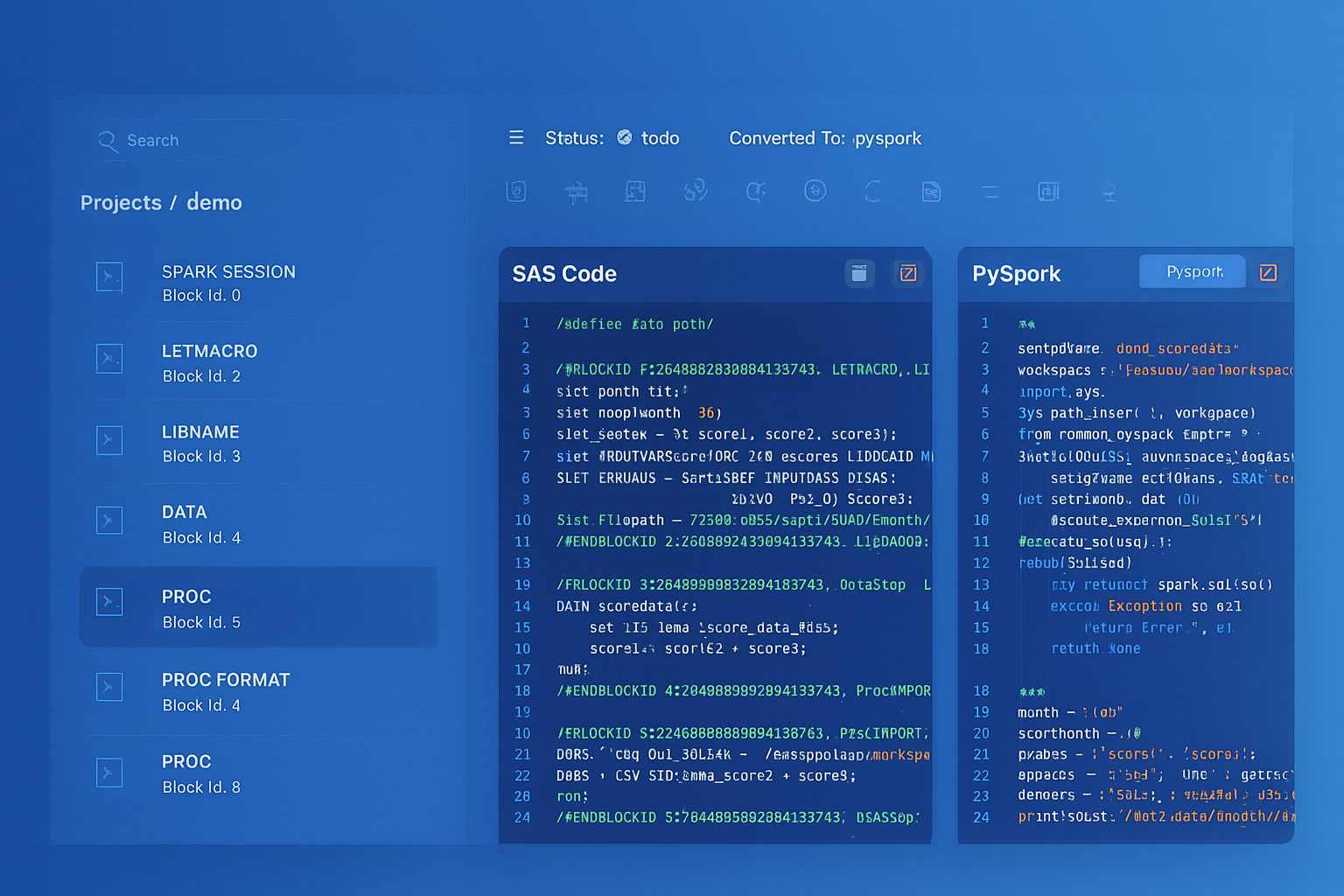
From parsed legacy code to production-ready modern equivalents — MigryX automates the entire conversion pipeline
From Legacy Complexity to Modern Clarity with MigryX
Legacy ETL platforms encode business logic in visual workflows, proprietary XML formats, and platform-specific constructs that are opaque to standard analysis tools. MigryX’s deep parsers crack open these proprietary formats and extract the underlying data transformations, business rules, and data flows. The result is complete transparency into what your legacy code actually does — often revealing undocumented logic that even the original developers had forgotten.
Dynamic Tables: Zero-Code Alteryx Replacements
For Alteryx workflows that simply read source data, apply transformations, and write to an output table on a schedule, Snowflake Dynamic Tables provide the most elegant replacement. A Dynamic Table is a declarative SQL definition that Snowflake automatically keeps up to date based on a configurable target lag — no scheduling, no orchestration, no code to maintain.
-- Replace an Alteryx workflow that runs hourly to refresh
-- a product performance dashboard

-- Alteryx workflow: Input → Join → Formula → Summarize → Output
-- 8 tools, scheduled hourly on Gallery

-- Snowflake Dynamic Table: One SQL definition, auto-refreshing
CREATE OR REPLACE DYNAMIC TABLE gold.product_performance
    TARGET_LAG = '30 minutes'
    WAREHOUSE = analytics_wh
AS
    SELECT
        p.product_id,
        p.product_name,
        p.category,
        p.subcategory,
        SUM(o.quantity) AS total_units_sold,
        SUM(o.quantity * o.unit_price) AS gross_revenue,
        SUM(o.discount_amount) AS total_discounts,
        SUM(o.quantity * o.unit_price) - SUM(o.discount_amount) AS net_revenue,
        COUNT(DISTINCT o.customer_id) AS unique_buyers,
        COUNT(DISTINCT o.order_id) AS total_orders,
        AVG(o.unit_price) AS avg_selling_price,
        MIN(o.order_date) AS first_sale_date,
        MAX(o.order_date) AS last_sale_date,
        DATEDIFF('day', MAX(o.order_date), CURRENT_DATE()) AS days_since_last_sale,
        CASE
            WHEN DATEDIFF('day', MAX(o.order_date), CURRENT_DATE()) <= 7 THEN 'Hot'
            WHEN DATEDIFF('day', MAX(o.order_date), CURRENT_DATE()) <= 30 THEN 'Active'
            WHEN DATEDIFF('day', MAX(o.order_date), CURRENT_DATE()) <= 90 THEN 'Slowing'
            ELSE 'Stale'
        END AS sales_velocity
    FROM staging.products p
    LEFT JOIN silver.orders o ON p.product_id = o.product_id
    GROUP BY p.product_id, p.product_name, p.category, p.subcategory;
Dynamic Tables are the single most impactful simplification for Alteryx-to-Snowflake migration. An Alteryx workflow with 8-12 tools, Gallery scheduling, and error handling configuration becomes one SQL statement that Snowflake manages automatically. There is no code to debug, no schedule to maintain, and no engine to provision. When the underlying data changes, Snowflake detects the change and refreshes the Dynamic Table within the configured target lag.
Semi-Structured Data: JSON and XML Processing
Alteryx handles JSON and XML through the JSON Parse and XML Parse tools, which flatten nested structures into tabular format. Snowflake's native VARIANT type, PARSE_JSON(), FLATTEN(), and dot-notation traversal provide a more powerful and integrated approach.
-- Alteryx JSON Parse tool: Parse nested API response
-- In Alteryx, this requires Input → JSON Parse → multiple cross-tabs

-- Snowflake: Native semi-structured handling
SELECT
    r.value:order_id::INTEGER AS order_id,
    r.value:customer.name::STRING AS customer_name,
    r.value:customer.email::STRING AS customer_email,
    i.value:product_id::STRING AS product_id,
    i.value:product_name::STRING AS product_name,
    i.value:quantity::INTEGER AS quantity,
    i.value:unit_price::DECIMAL(10,2) AS unit_price,
    i.value:quantity::INTEGER * i.value:unit_price::DECIMAL(10,2) AS line_total
FROM staging.api_responses,
    LATERAL FLATTEN(input => PARSE_JSON(payload):orders) r,
    LATERAL FLATTEN(input => r.value:line_items) i
WHERE r.value:status::STRING = 'completed';
Snowflake Time Travel for Data Recovery
Alteryx has no built-in data versioning. If a workflow runs incorrectly and overwrites an output table, recovery depends on external backups. Snowflake Time Travel provides automatic point-in-time data recovery for up to 90 days.
-- Recover data after a migration pipeline produces incorrect results
SELECT * FROM gold.customer_360 AT (OFFSET => -3600);  -- 1 hour ago

-- Restore the table to a known-good state
CREATE OR REPLACE TABLE gold.customer_360 AS
SELECT * FROM gold.customer_360 BEFORE (
    TIMESTAMP => '2026-04-07 14:00:00'::TIMESTAMP
);
How MigryX Automates Alteryx to Snowflake Migration
Converting Alteryx workflows manually involves opening each .yxmd file in Designer, understanding the tool graph visually, and rewriting the logic in SQL or Python. For organizations with hundreds or thousands of workflows, this manual approach is impractical. MigryX automates the conversion through specialized capabilities designed for Alteryx's XML-based workflow format.
AST-Based Deterministic Parsing. MigryX parses .yxmd XML files into a structured Abstract Syntax Tree, capturing every tool, connection, configuration parameter, and data flow relationship. Unlike regex-based extraction that relies on XML pattern matching (and breaks on custom tool configurations), or AI-only approaches that hallucinate tool behaviors, MigryX's parser achieves +95% accuracy by understanding the complete Alteryx tool taxonomy and configuration schema. The parser handles standard tools, In-Database tools, custom macros (.yxmc), analytic apps (.yxwz), and iterative/batch macros.
Column-Level Lineage. MigryX traces data flow from Input Data tools through every transformation tool (Select, Filter, Formula, Join, Summarize) to Output Data tools, mapping each column's origin and every transformation applied. This is essential for validating that the Snowflake pipeline produces the same results as the original Alteryx workflow.
Multi-Target Output. From a single Alteryx workflow, MigryX generates Snowflake SQL, Snowpark Python, or Dynamic Table definitions based on the complexity of the workflow. Simple filter-join-aggregate workflows map to SQL or Dynamic Tables. Complex workflows with iterative macros, dynamic inputs, or R/Python tool integrations map to Snowpark Python scripts or stored procedures.
STTM Documentation. MigryX generates Source-to-Target Mapping documentation for every workflow conversion, mapping each Alteryx tool to its Snowflake equivalent with detailed configuration translations. This supports testing, UAT sign-off, and regulatory compliance documentation.
On-Premise and Air-Gapped Deployment. MigryX processes Alteryx .yxmd files without sending workflow definitions or data to external services. This is critical for organizations in regulated industries where workflow definitions may contain proprietary business logic, connection strings, or references to sensitive data sources.
Merlin AI Assistant. MigryX's Merlin AI assistant analyzes your Alteryx workflow portfolio to identify migration complexity, estimate effort, flag custom tools and macros that require manual handling, and recommend the optimal Snowflake target pattern (SQL, Snowpark, Dynamic Table, or Task DAG) for each workflow. Merlin combines MigryX's deterministic parsing engine with AI-powered recommendations for a comprehensive migration planning and execution experience.
Key Takeaways
- Every Alteryx Designer tool has a direct Snowflake equivalent — either as SQL (WHERE, JOIN, GROUP BY, CASE, PIVOT) or as Snowpark Python DataFrame operations for complex pipelines.
- Alteryx Input/Output Data tools are replaced by Stages, COPY INTO, and Snowpipe — eliminating the data movement through Alteryx engine compute.
- Alteryx Formula tool expressions map to SQL CASE expressions and built-in Snowflake functions (DATEDIFF, LEFT, REPLACE, TRY_CAST).
- Alteryx Batch Macros and Dynamic Input tools map to Snowflake stored procedures with cursor-based iteration or parameterized queries.
- Alteryx Gallery scheduling is replaced by Snowflake Tasks with CRON scheduling, predecessor dependencies (Task DAGs), and Stream-based conditional execution.
- Dynamic Tables can replace entire Alteryx workflows that simply transform and output data on a schedule, with zero orchestration code.
- Snowflake Time Travel provides automatic data recovery that Alteryx cannot match.
- MigryX automates .yxmd parsing with +95% accuracy, column-level lineage, STTM documentation, and on-premise deployment for regulated environments.
Migrating from Alteryx to Snowflake eliminates the middleware layer between your data and your transformations. Instead of data flowing from Snowflake through Alteryx compute and back to Snowflake, all transformations execute natively on Snowflake's distributed engine. The result is simpler architecture, dramatically lower licensing costs (no per-seat Alteryx Designer or Server licenses), elastic scalability, and a single platform for storage, compute, transformation, and governance. For organizations already running Snowflake as their data platform, consolidating Alteryx workloads into Snowflake is the natural evolution — and MigryX makes the transition systematic, documented, and auditable.
Why MigryX Is the Only Platform That Handles This Migration
The challenges described throughout this article are exactly what MigryX was built to solve. Here is how MigryX transforms this process:
- Deep AST parsing: MigryX’s custom-built parsers achieve 95% accuracy on every supported legacy technology — not through approximation, but through true semantic understanding.
- Merlin AI augmentation: Where deterministic parsing reaches its limit, Merlin AI resolves ambiguities and implicit behaviors, pushing accuracy to 99%.
- Complete coverage: MigryX supports 25+ source technologies including SAS, Informatica, DataStage, SSIS, Alteryx, Talend, ODI, Teradata, and Oracle PL/SQL.
- End-to-end automation: From parsing to conversion to validation — MigryX automates the entire pipeline, not just one step.
MigryX combines precision AST parsing with Merlin AI to deliver 99% accurate, production-ready migration — turning what used to be a multi-year manual effort into a streamlined, validated process. See it in action.
Ready to migrate from Alteryx to Snowflake?
See how MigryX converts Alteryx .yxmd workflows to production-ready Snowpark Python pipelines, Snowflake SQL, and Dynamic Tables with column-level lineage.
Explore Snowflake Migration Schedule a Demo